


Understanding API Call Limit and how Matrixify app uses it
Shopify API has a “speed limit” known as “API Call Limit“. In simplified terms – it limits how many calls can apps make to your store, and how fast.
What API Call Limit do I have?
Default API Call Limit is 40 for regular stores and 80 for Shopify Plus stores.
By default, Shopify Plus stores have 500% API Call Limit increase for Matrixify app and regular Shopify stores have 300% API Call Limit increase.
When you start an import or export job, you can see the API Call Limit and parallel thread count that this job is running with.
There you also see what is the current increase in the API Call Limit for the Matrixify app in your store.
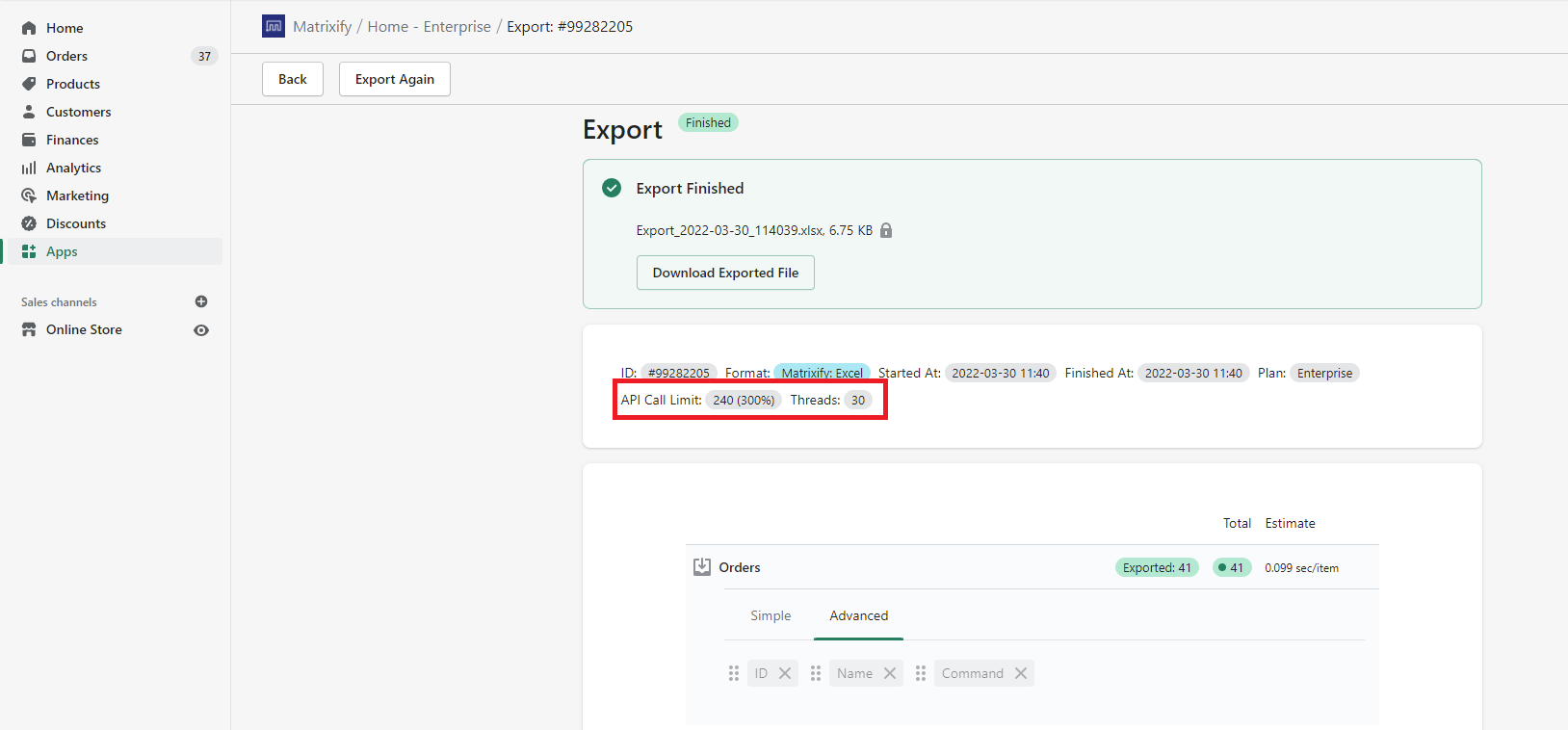
If you see that the app in your store is running at 100% then you might have a lower API Call Limit than possible so please let us know and we will together look into why that is the case.
Can you increase Shopify stores API Call Limit?
For Shopify Plus stores – Shopify might be able to increase that API Call Limit even further than 500%. The exact criteria and ability for this increase is not known and depend on Shopify Plus’s ruling.
Please consult with your Shopify Plus Store support or your Merchant Success Manager if they will be able to increase the API Call limit by more than 500% on your store for Matrixify App.
Achieving higher speeds with multiple parallel Threads
In Matrixify Demo and Basic plans, the app will use 1 process to Export/Import data in the Shopify store.
Upgrading to the Big or Enterprise plan will increase the parallel threads Matrixify app uses to process data. The big plan has fixed 5 parallel processing data, but Enterprise has 10+ parallel threads adjusting dynamically based on the stores API Call Limit. With higher API Call Limits, app Imports and Exports with the Enterprise plan will run quicker as the job will run with more parallel threads.
App can run with a maximum of 250 parallel threads in the Enterprise plan if the store happens to have such a large API Call Limit requiring so many threads. Going above 250 parallel threads is going to lose the speed on context-switching, and Shopify parallel network connection limits to one store.
In some cases, Enterprise plan users might need to slow down the Import/Export job, for example, if Import is triggering too many webhooks too quickly for your connected systems. You can slow down the import by limiting the number of parallel threads Matrixify app uses. To force the app to use 1 parallel thread, you can select the job option “Import items in the order as they appear in file” for Imports or “Export items sorted in the order as they come from Shopify” for Exports. If 1 thread is too slow, then Enterprise plan owners can contact our support to limit the parallel thread count to a different number of parallel threads.
What to do next?
- Contact Matrixify Support to collaborate on achieving the highest possible import or export speed for your specific case.
- Read other tips for improving your import speed.


