


Migrating to a new Shopify store or setting up a test/development store often means you want your existing content to come along too. In this tutorial, you’ll learn how to use the Matrixify app to clone your Shopify Blogs, Blog Posts (Articles), and their Comments from one Shopify store to another.

Steps in short
- Export Blog Posts from your old store using the Matrixify app.
- Import exported Blog Posts into your new store.
- Enjoy your migrated Blog Posts!
1. Export Blog Posts with Matrixify
Head to the Matrixify app and press New Export. On the new export page, select the desired export format from the Formats drop-down. If you are exporting data within Excel’s limits, we recommend using the Matrixify: Excel format. If the data will exceed Excel’s limits, Matrixify will automatically switch to Matrixify: CSV format.
Once you have selected your export format, under the Select Sheets drop-down select to export Blog Posts. The Blog Post column groups will then appear, select all column groups to be exported. Your export set up should look like this:
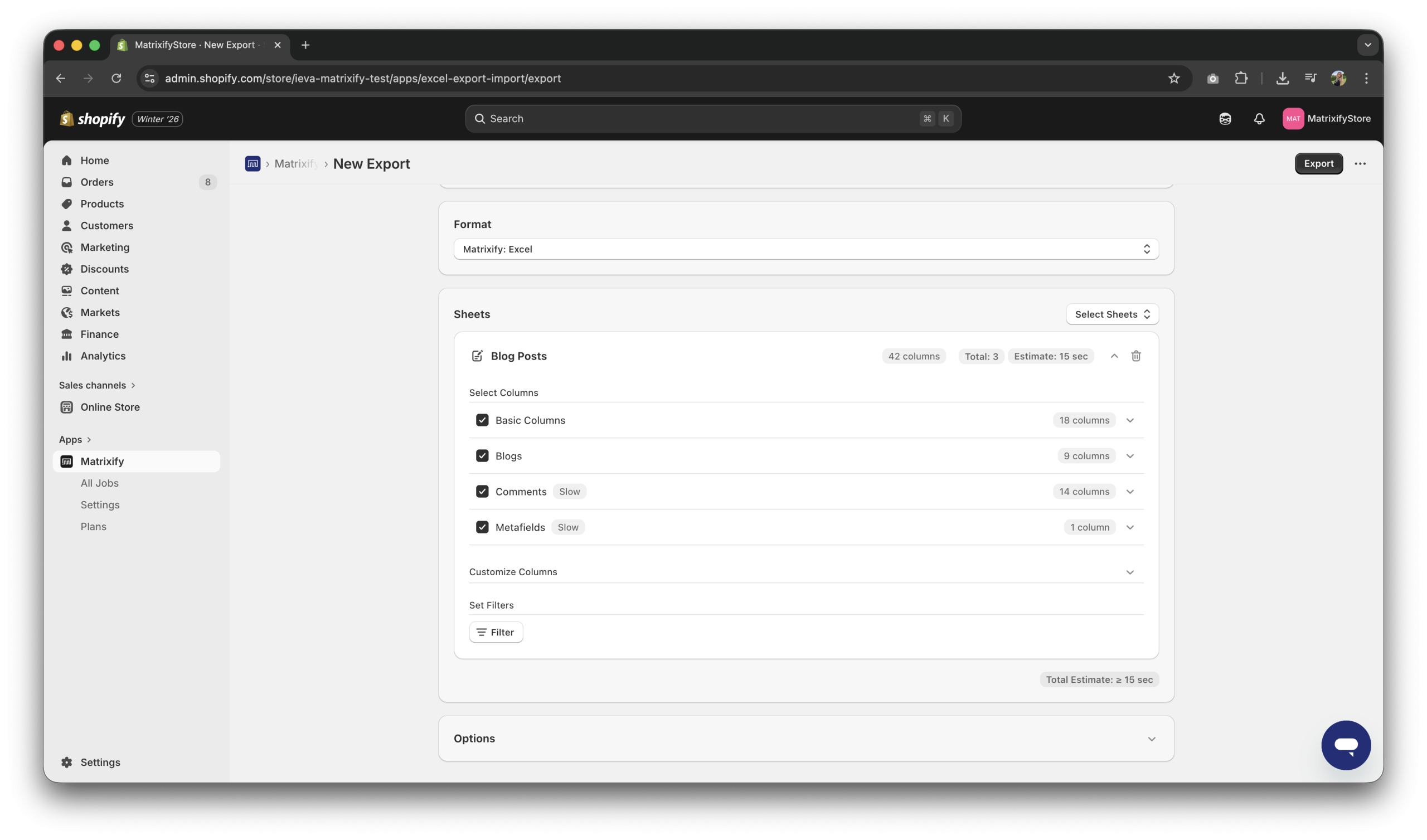
You can also add filters to your export by clicking the Filter button to export only specific Blog Posts.
Export button to export your Blog Posts. When exported, press the Download Exported File button to download your Blog Posts. If needed, you can make edits in the exported file, however, in this case, we will be directly importing the Blog Posts spreadsheet file into our other Shopify store.2. Import exported Blog Posts
Open the Matrixify app in the Shopify store you would like your Blog Posts to be imported and in the Import section upload your previously exported Blog Posts file. The app will then analyze your file, recognising it as Blog Posts as well as recognising the Blog Post count in your file and columns it contains.
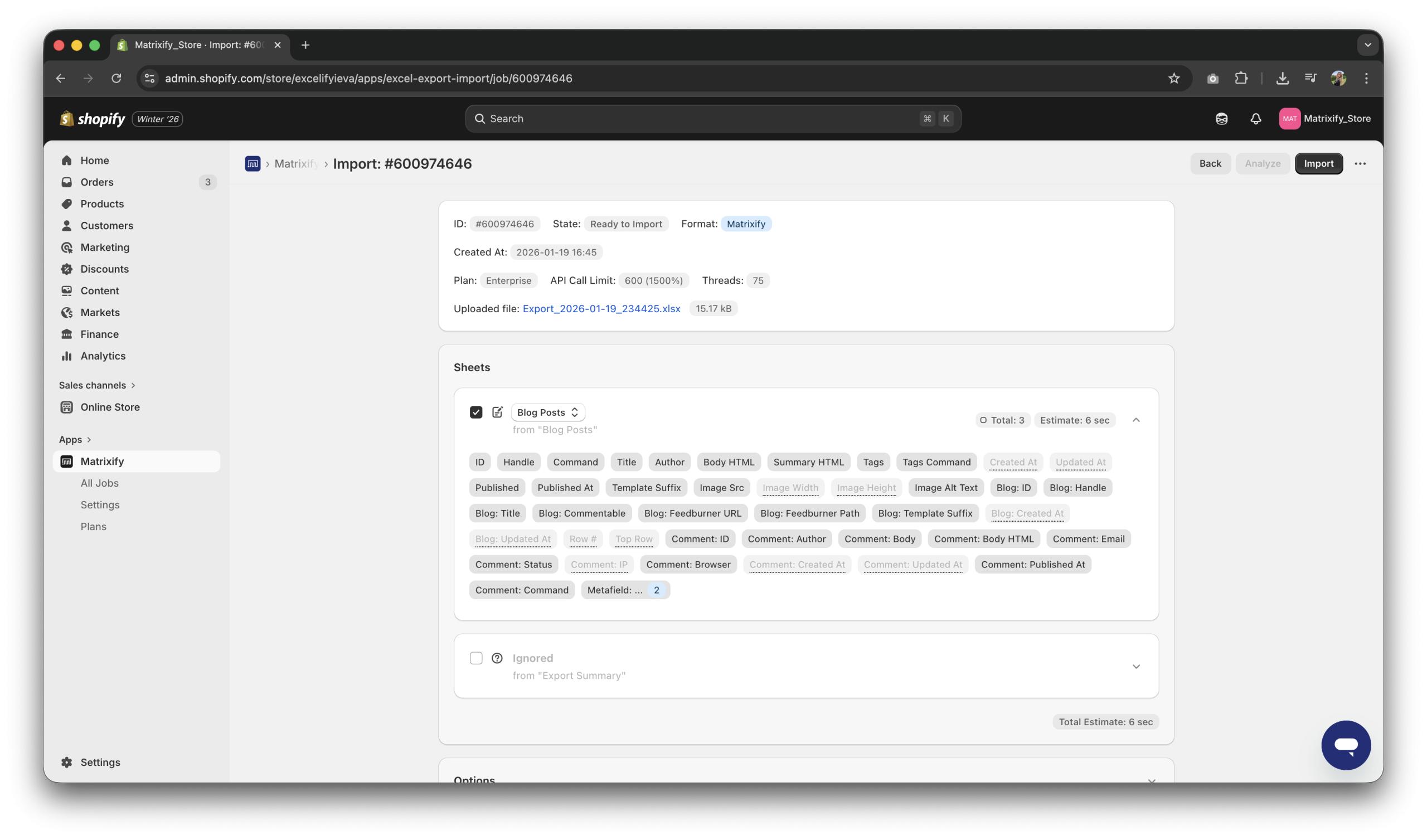 You do not need to change any options for this import, the default options will work perfectly in this case. You can then go ahead and press the
 Import button to migrate your Blog Posts!
Download Import Results button. All errors and warnings will be listed in the Import Comment column separately for each Blog Post row.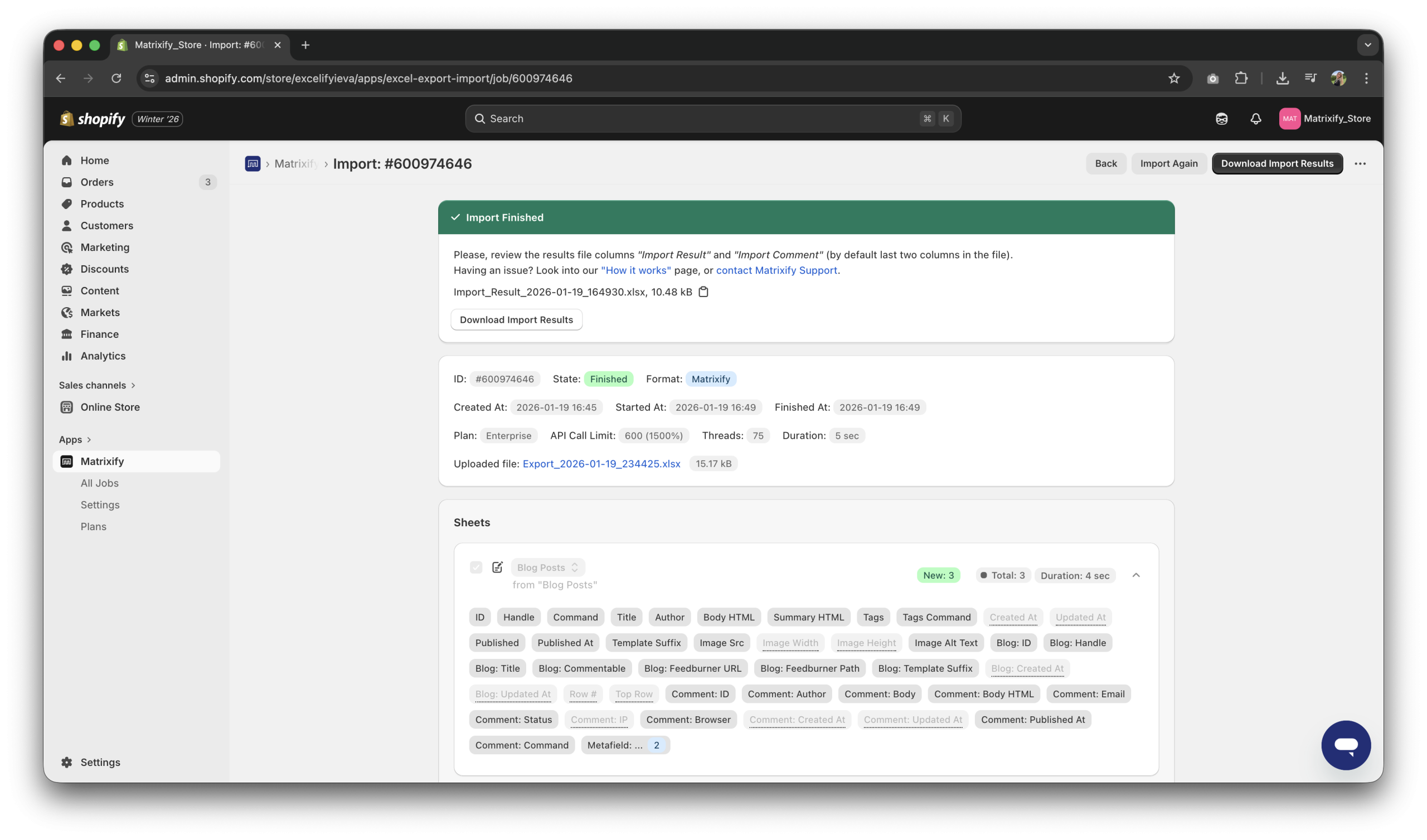
3. Enjoy your migrated Blog Posts!
You can make your way to your newly migrated Blog Posts by navigating to Content -> Blog Posts and enjoy your migrated Blog Posts!
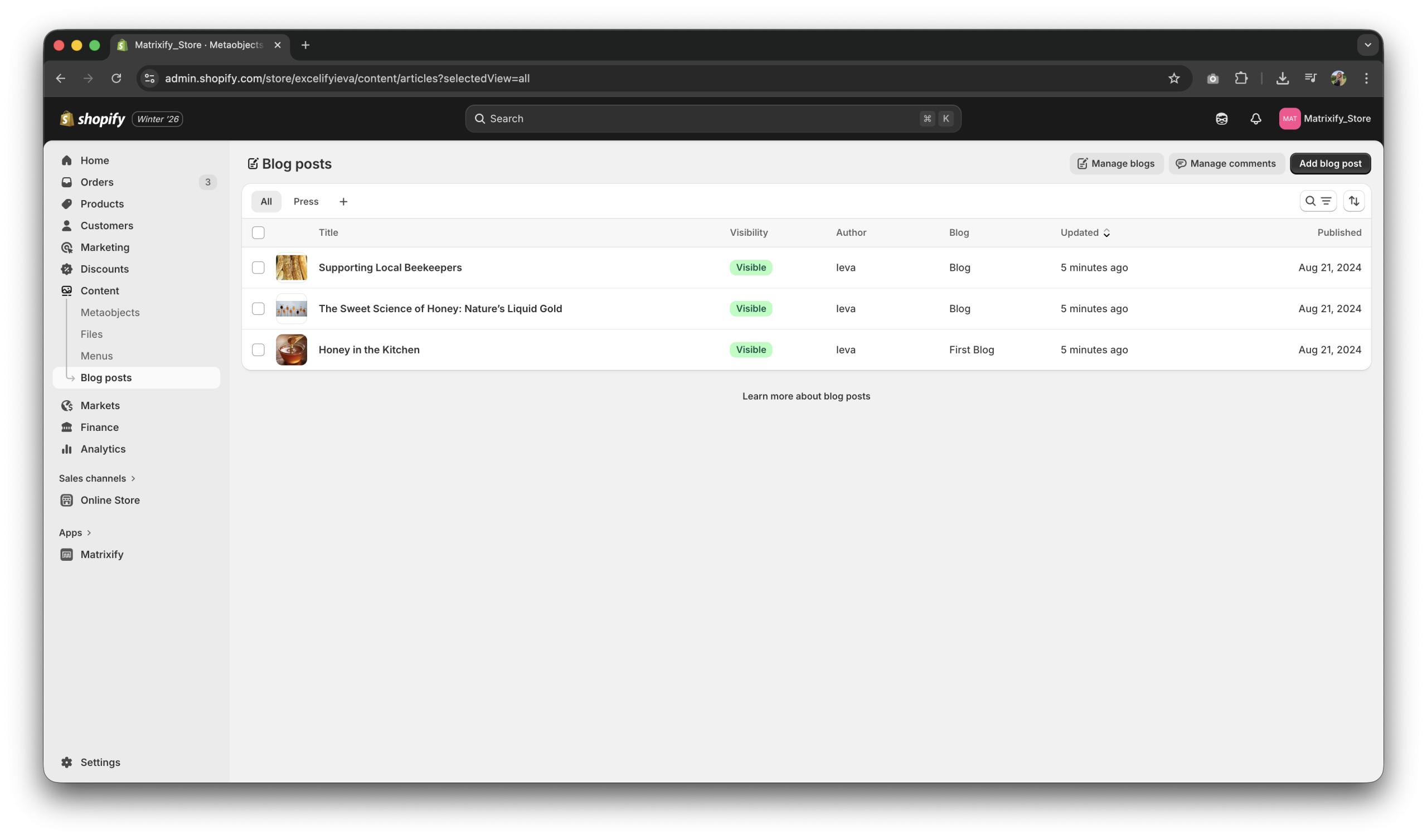
Good to know
- See our Blog Posts documentation which explains all of our Blog Post columns and what their values should be.
- Check other Blog Post related tutorials.
- You are not limited to just Blog Posts, you can also clone your whole store using the Matrixify app!
- Read Shopify manual on why you must use Blog Posts in your Shopify store.
- If you have any questions at all, please reach out to our support!


