


You can now import the quantity adjustment of the Shopify Product inventory by importing the delta (difference) number.
So, in case you received a new shipment to your warehouse of additional x items for each product, you can just import that x number as an adjustment for your products and variants.

There is the new column in the Products sheet for that “Variant Inventory Adjust“.
If you are importing the “Variant Inventory Adjust” values then, of course, you cannot import the “Variant Inventory Qty” number – as that wouldn’t make sense to set and adjust the quantity at the same time.
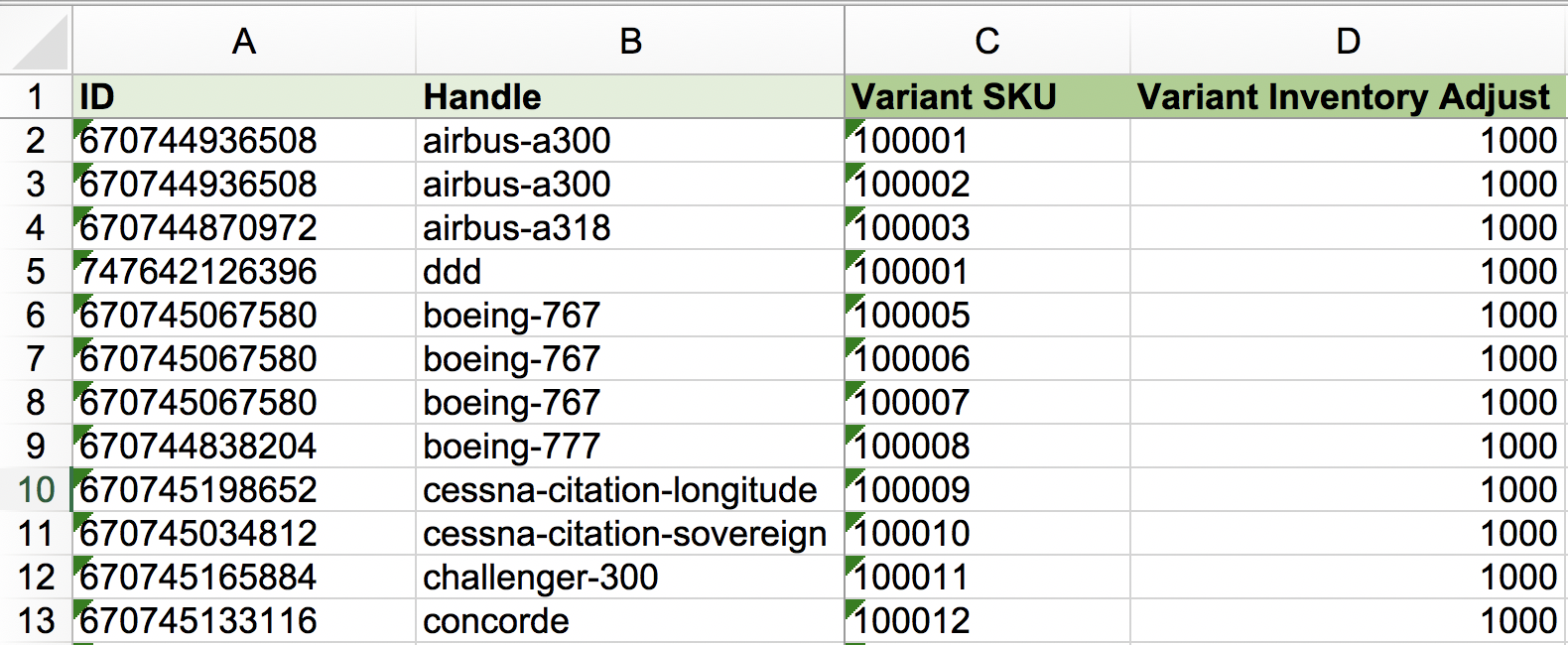
For example, if you need to adjust the inventory quantity for some products, you can import the columns:
- ID
- Handle
- Variant ID (or Variant SKU, or Variant Barcodes, or Options columns)
- Variant Inventory Adjust
or, if you want to just update by SKU, you can import the following columns:
- Variant SKU
- Variant Inventory Adjust
And you can combine the columns – fill the values for some variants in “Variant Inventory Qty” and for some the “Variant Inventory Adjust”.
Here’s one way the import file can look:
If your store has several Locations, use the Inventory Available Adjust: <Location Name> column instead, with the Location name in the header, for example Inventory Available Adjust: Main Warehouse. It adjusts the available quantity in that Location only. See the Multi-Location inventory tutorial.
Read more about the columns in the Products Columns Documentation.


