

When exporting Shopify Products with Matrixify App, you can mark to include an additional Collections column where each product is listed in.
You can use this, for example, if you need to find out if there are any Products that are not listed in any of the Collections, or if you need to review how Products and Collections are organised.
Creating the Export
In the Matrixify app Home page, create a new Export and select to Export the Products sheet.
For the Products sheet you can select to export various column groups, including the Collections group, which will include the Collections column.
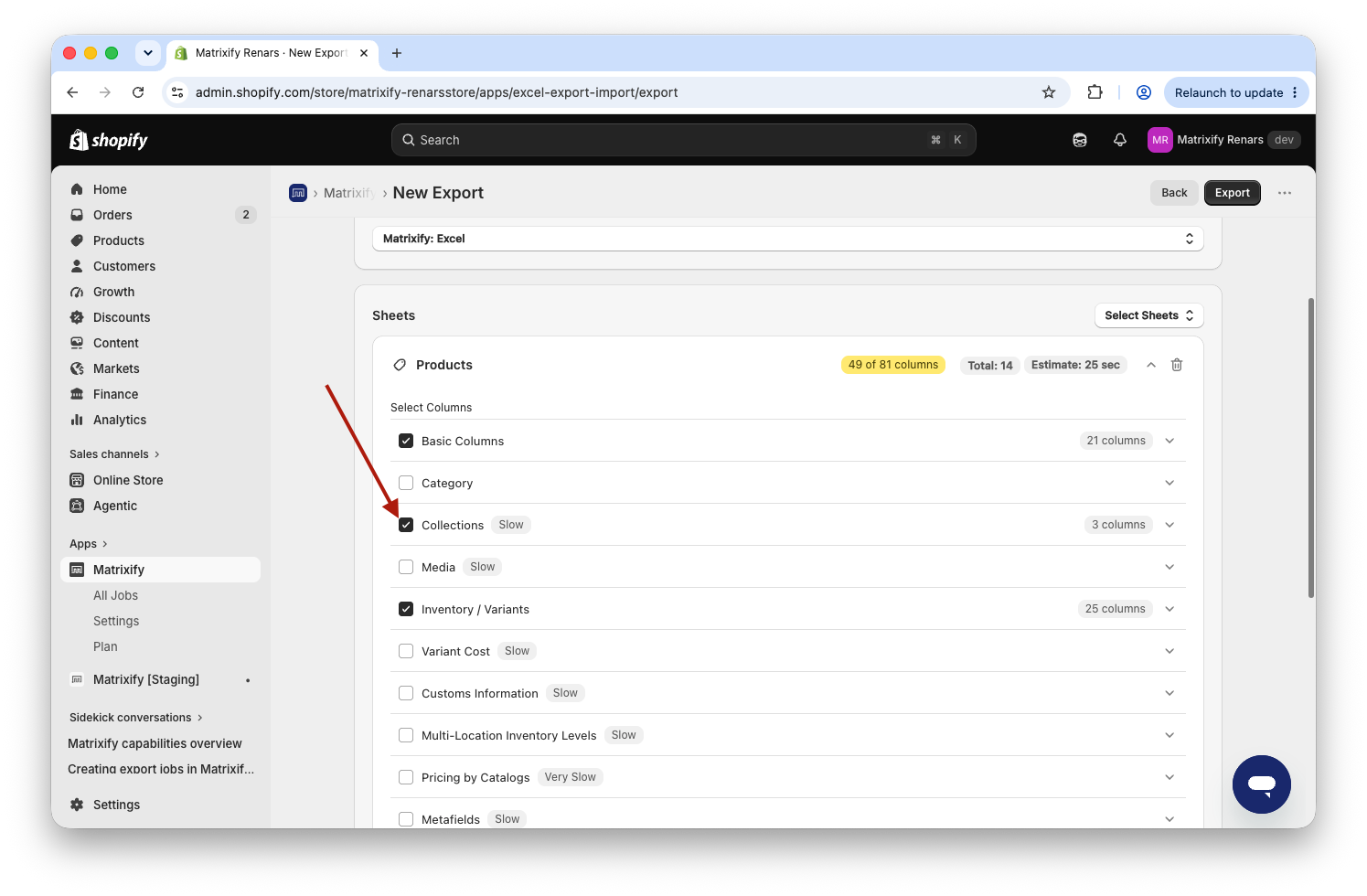
You can also select other columns and column group as needed, such as Product IDs, Handles, Variant SKUs, etc.
Once you have configured the Export use the Export button to start your Export job. Once finished use the Download Export File button to download your exported spreadsheet file.
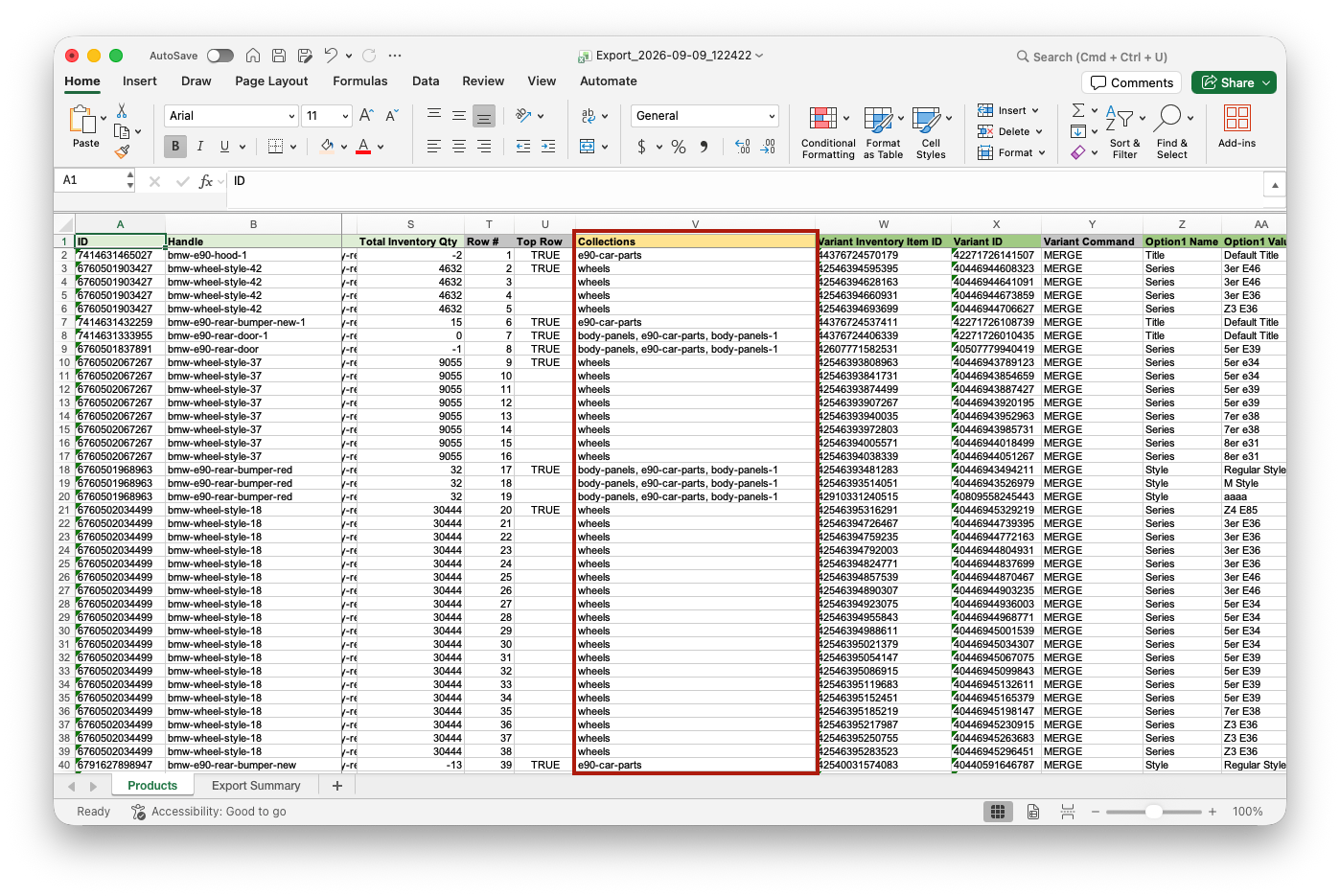
In the file you can see the Collections column with a comma-separated list of Handles of those Collections where this Product is appearing.
If the cell is empty, that means that this product is not in any of the respective collections.


